
Replay StationVideo Referee Training
The first VAR training station

The replay room,
on a single machine.

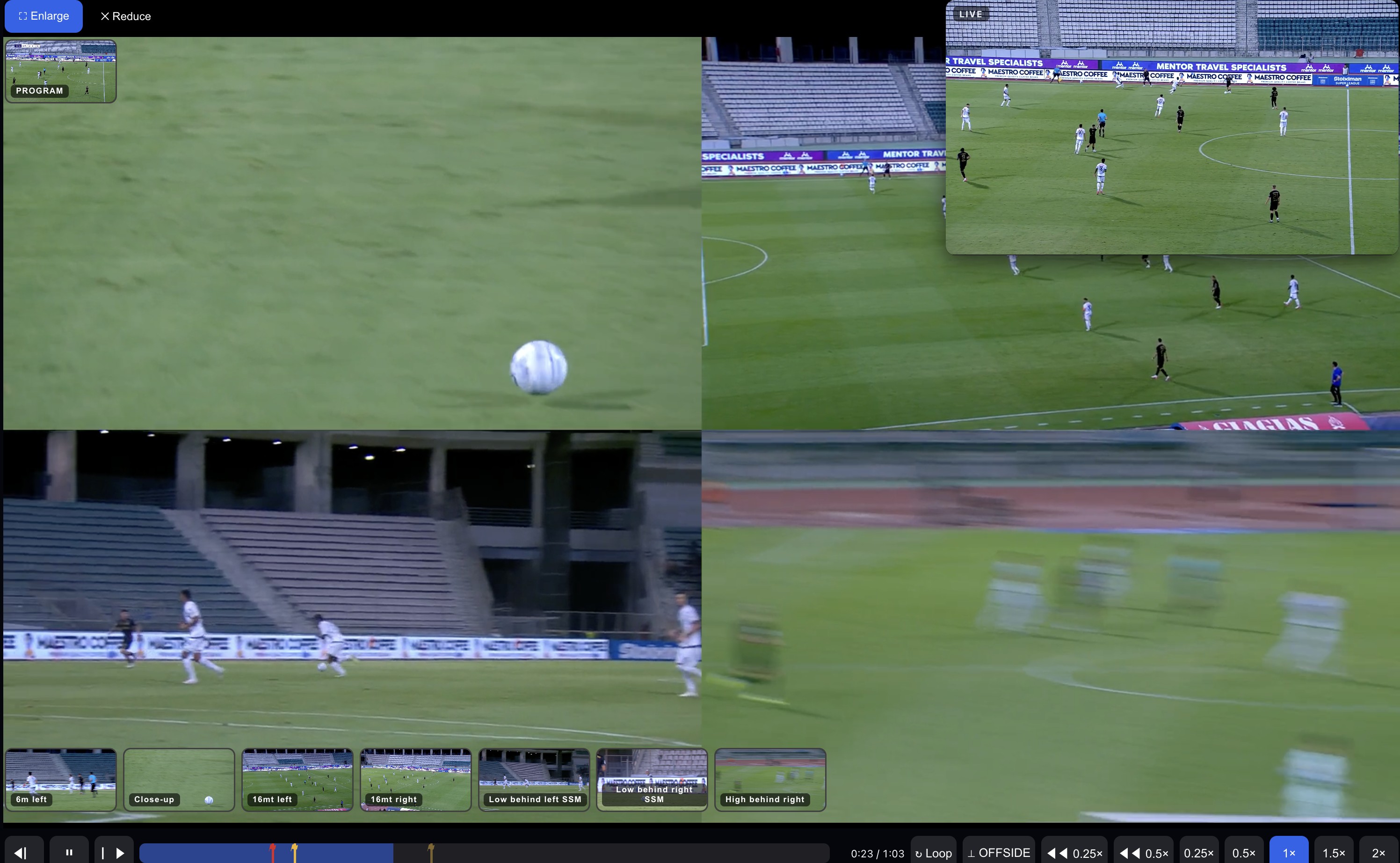
Two screens like the real thing — the live feed above, the VAR preset below with its three-second delay — every camera of the incident, and a protocol you drive with your voice: call the check, ask for a camera, loop the contact, slow it down, give the decision. Footage is delivered from a global CDN, so it is fast wherever the room is.

Built by referees, for referees — the first simulator of its kind, running on one Mac in the VAR room.
Designed and tested by former Serie A & FIFA match officials.

replay-station.net — VAR Simulator
Replay Station — VAR simulator: four camera angles with the live feed
One station, the whole VAR room
Live + VAR preset Voice-driven checks Every camera, by voice Contact loop & slow-motion Fast anywhere (CDN) On-premise
What it does

Everything a VAR does, turned into training.

Not a video player with a quiz on top. A working replay room: the same two screens, the same gestures, the same words called out loud — measured, scored, repeatable.

🖥️

Two screens, like the room

The live feed never stops; the VAR preset sits below with its real three-second delay. You work exactly as you would in the booth.

🎙️

Call it out loud

Say the checks — "check possible penalty", "point of contact", "on field review". The station listens, follows the protocol and marks every step.

⟂

Every camera, one word away

"Camera reverse", "give me 16 metres right", "show goal left": the station switches angle on the same instant and, if a check is flagged, starts the loop on the contact from that camera. All the angles the director had, exactly where the VAR would look.

🎥

The contact, at your speed

"Point of contact" loops the flagged moment at half speed. "Slower" steps down to one tenth; "faster" back up to real time. Frame by frame in both directions, one keyframe every second, on every camera.

⚡

Flash & VAR video quizzes

Short clips, decide fast; or full episodes prepared in the dedicated module. Every answer is compared to the correct call and kept.

📶

Fast in the room, fast from anywhere

In the VAR Center the footage sits on the local machine and starts instantly. From anywhere else it is served by a global CDN, close to whoever is training — the same station, from Athens or from the other side of the world.

How it works

Sit down. Speak. Decide.

The whole session is four moves — the same four a VAR makes on a match day.

Open your episode

The station knows the match you're on and puts the live feed and the VAR preset in front of you.

Call the checks

Speak the protocol out loud. Point of contact, app, the review — the station follows and flags the moments.

Ask for the angle

Call the camera you need, loop the contact, slow it down. The station follows every word and keeps the instant aligned across all the angles.

Give the decision

Check complete, factual review or on-field review. Your call is measured against the correct one.

2
screens, exactly like the room
50
frames per second, for the contact
3s
VAR preset delay, built in
100%
on the machine in the room — or on a global CDN from anywhere
The story

No one had ever built a VAR simulator on a Mac. So we built the first one — a whole replay room on a single machine.

Built by people who have worked in the VOR — the Video Operation Room — for those who need the best VAR training on the market.

The protocol, as in the room

The words the VAR actually says.

The station follows the IFAB VAR protocol step by step and scores every run against it. The vocabulary is the one used in the VOR:

✓

Check

"Check possible penalty", "check possible offside", "check possible red card" — the flag is planted at the instant the word is spoken.

⏱

Point of Contact & APP

"Point of contact" loops the incident; "check APP" reviews the Attacking Possession Phase. The order is part of the score.

◉

Decision & OFR

"Check complete", "VAR review", "on-field review": the run ends on the same words the referee hears, and is compared with the expected call.

Languages. The interface is in English, Italian, Spanish and French. Voice commands are in English — the language of the VOR — and the Flash quiz microphone can be set to the federation's language.

Questions committees ask

Before you bring it into the room.

What hardware does it need?

One Mac with Apple Silicon (a Mac mini is enough), two screens — live above, VAR preset below — and a microphone. That is the whole VAR Center.

Does it work offline, during a referees' camp?

Yes. In the room the footage sits on the machine's disk and every camera starts instantly, with no network. From anywhere else the same station is served by a global CDN.

How do our own incidents get in?

From the admin panel: the VAR manager uploads the cameras of an incident, marks the expected checks and decision, and the station re-encodes them for the room. Each federation manages its own material and its own officials.

What does the instructor see afterwards?

A dashboard per official and for the federation: correct decision rate, correct checks, time to decision, protocol compliance step by step, Flash and video quiz scores — run by run, with filters by official, incident and period.

Where is the data kept?

In the European Union. Each federation has its own isolated database; video is delivered only through signed, expiring links. A data processing agreement and a security policy are available on request.

Request a demo

See it with your own incidents.

Tell us who you are and we will set up a walkthrough for your referees' committee — on your footage, in your language.

Or write to info@var-pro.it.

Step into the booth.

Open the station and run a real review — live, preset, every camera, your voice — the way it happens on a match day.